

When Does Your Mac Mini Actually Need a Cooling Base?
By Doxmini Team
As a Mac mini accessories store, you'd expect us to say everyone needs a cooling base. But the honest answer is: it depends on what you do with your Mac mini.
The Real Temperature Data
These numbers come from MacRumors forums and Apple Community posts — not marketing materials:
- Sustained CPU loads (compiling, rendering): the M4 Pro hits 100–105C within 10–15 minutes
- CPU throttling: P-cores drop from ~4,464 MHz to around 3,300 MHz — roughly a 25% performance drop
- GPU loads (gaming, 3D rendering): temperatures reach 106C with fans at only 58%
- Emergency failsafe: above 100C, a hardware circuit takes over and ramps the fan to 100% instantly
Teardowns confirm the top of the Mac mini is designed as a heatsink. The aluminum shell is part of the thermal system. Anything that blocks or insulates the top surface makes things worse.
In our own testing, a cooling base dropped peak temperature by 16C under Xcode compilation — enough to maintain full clock speed for 30+ minutes instead of throttling after 8. Third-party testers like SPEED Designs report 15–30C reductions with aluminum bases.
Who Actually Needs One
You do if you regularly:
- Export or render video (Final Cut, DaVinci Resolve, Blender)
- Compile large codebases (Xcode, Rust, C++)
- Run your Mac mini as a 24/7 AI server or home server
- Game for extended sessions
- Run virtual machines or heavy Docker workloads
Who Can Skip It
You're probably fine without one if you:
- Browse the web, use email, write documents
- Use office apps (Slack, Excel, Google Sheets)
- Do light photo editing or stream video
The M4 manages its thermals fine under light to moderate loads. Apple's fan curve keeps things quiet, and for everyday tasks, you'll rarely hear the fan.
What a Cooling Base Does
- Elevates the mini off the desk, letting air circulate underneath the bottom vent — this alone makes a measurable difference
- Filters dust with a washable mesh, keeping intake vents clear over months of 24/7 use
- Provides passive cooling through thermally conductive materials or improved airflow
You don't need fans. The Mac mini's internal fan handles active cooling — it just needs help exhausting heat and keeping dust out.
Aluminum vs Walnut: The Honest Comparison
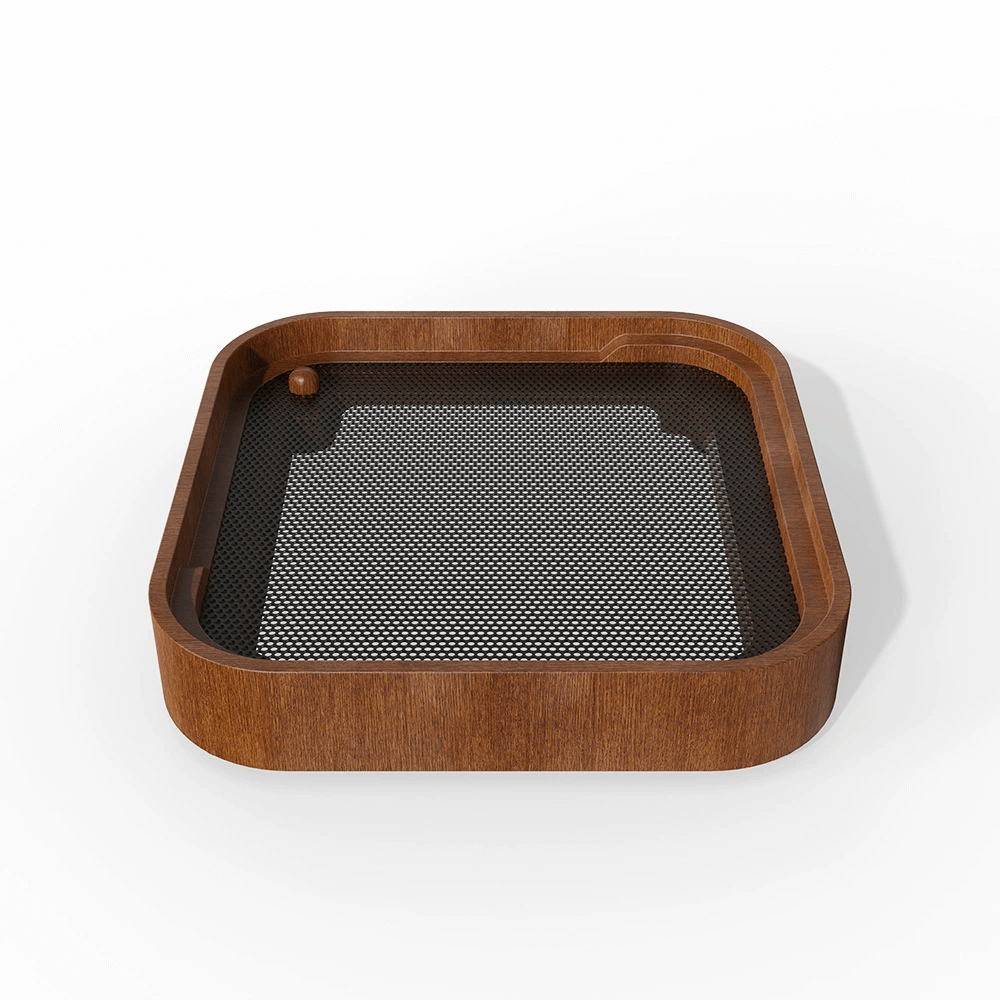
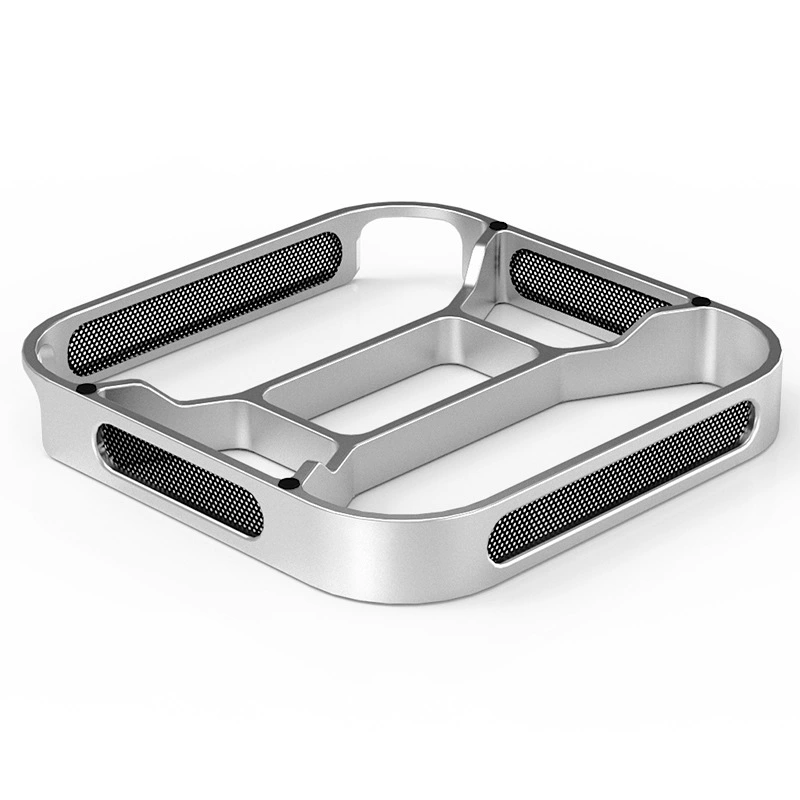
We carry both, so here's the physics: aluminum's thermal conductivity is about 205 W/mK. Walnut is around 0.15 W/mK — roughly 1,300x less.
 |
 |
|---|---|
| Walnut Base ($15) | Aluminum Base ($18) |
| Handcrafted American black walnut. Helps through elevation and airflow. Beautiful on a desk — each piece has unique grain. Best for moderate workloads where aesthetics matter. | CNC-machined aluminum with 4-sided mesh ventilation. Best thermal performance. Choose this for sustained rendering, compiling, or 24/7 server duty. |
Both include dust-filtering mesh and both are meaningfully better than sitting flat on a desk surface.